Kevin Caron
EN FR
All products

WoW Forever auction house prices

Goblin Ledger

Web app LiveAndroid app Closed testing

Live auction house prices, charts and market indexes for WoW Forever, on the web and on Android.

Goblin Ledger reads Blizzard’s official auction house data for WoW Forever every hour and turns it into charts you can actually use: watchlists, movers, deals, flips between houses and a weekly recap. Free, no account, no ads.
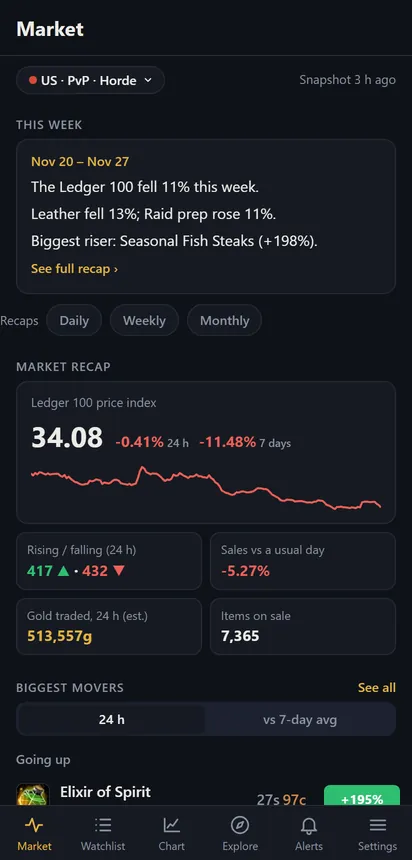
Goblin Ledger Market tab with the weekly summary and the Ledger 100 index
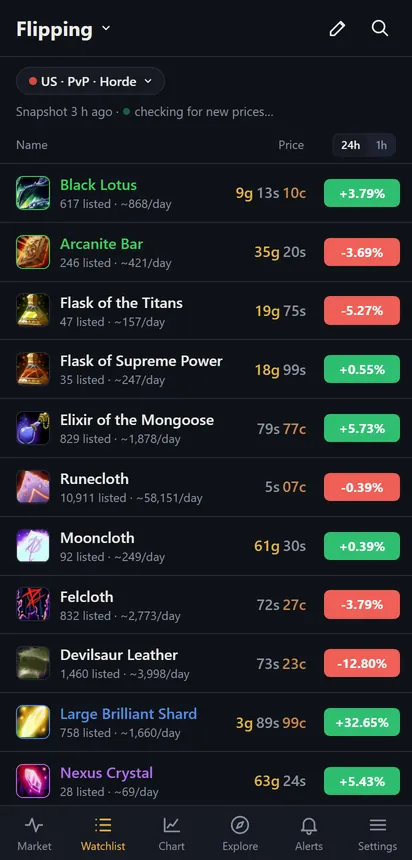
Goblin Ledger Flipping watchlist with prices and 24h change

Screenshots

What it does

Market overview

The week in a few lines, the Ledger 100 price index, gold traded and the biggest movers.

Watchlists

Nine ready-made lists (flipping, herbs, ores, cloth, enchanting, raid consumables and more) plus your own.

Real charts

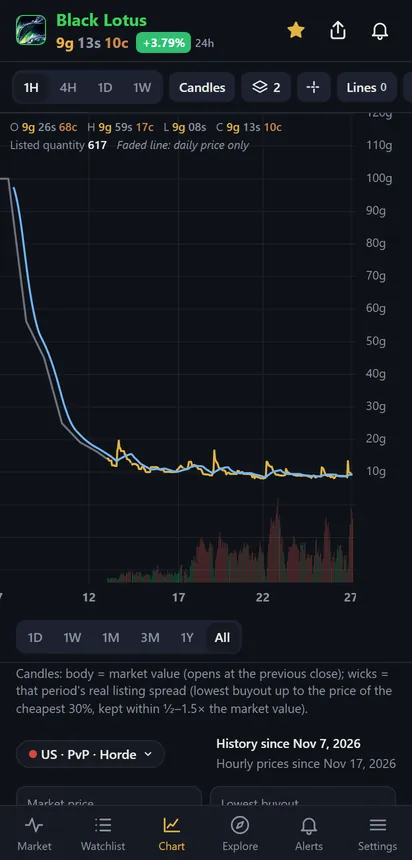
Candles, line or area; 1H to 1W; moving averages, Bollinger bands, RSI and MACD; compare two items.

Deals and flips

Items listed below their 7-day average, and a flip finder between your faction house and Blackwater.

Alerts

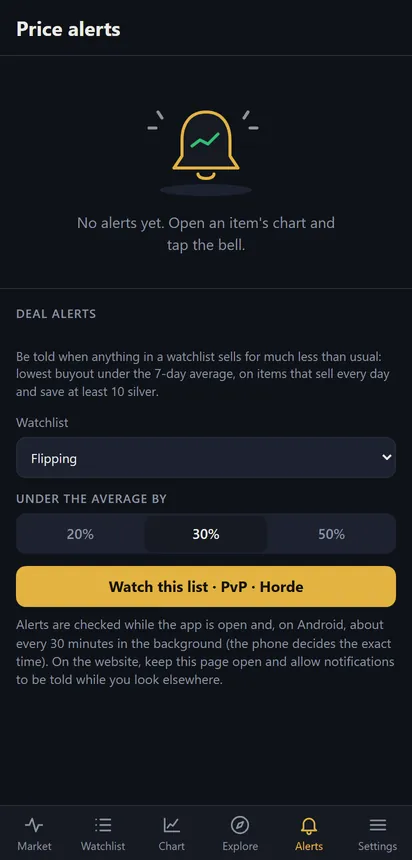
Price above or below a level, and deal alerts on a whole list. On Android they run in the background.

Every realm group

PvP and the other realm groups, Alliance, Horde and Blackwater, in English or French, dark or light.

How to install

On the web

Live
  1. Open kcaron.top/goblin-ledger/app on a phone or a computer.
  2. Pick your realm group and faction. You can change them any time from the house button at the top.
  3. To keep it on your phone, use your browser’s Add to Home screen.

Android app (closed testing)

Closed testing
  1. Join the Google Group [email protected] with the Google account you use on your phone.
  2. Open the testing page and tap Become a tester.
  3. Install the app from Google Play. Updates arrive through Play like any other app.

The same steps on their own page: become a tester.

How to use it

Follow an item

  1. On Watchlist, tap the search icon and type an item name (English or French) or its item ID.
  2. Add it to the list shown in one tap, or open it to see its chart.
  3. Switch lists with the list name at the top. Sort by price or change, in % or in gold.

Read a chart

  1. Pick a time frame: 1H, 4H, 1D or 1W.
  2. Each candle is the market value; the bars underneath are the quantity listed.
  3. Add indicators or a second item to compare from the layers button.

Find deals and flips

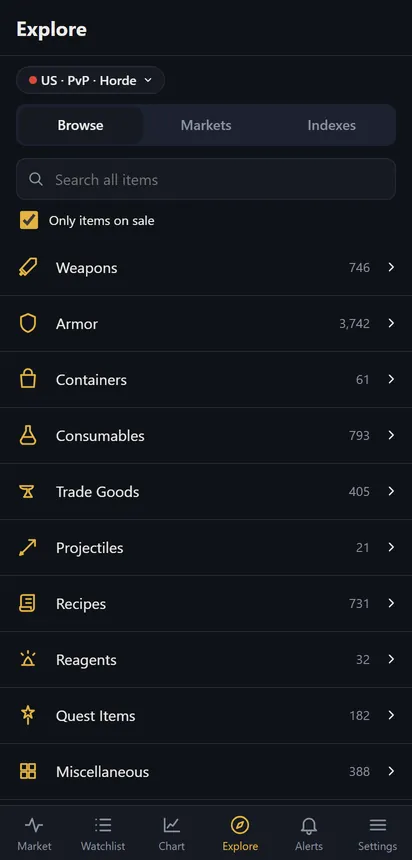
  1. Open Explore, then Markets.
  2. Deals lists items under their 7-day average; the flip finder compares your house with Blackwater after the house cut.
  3. Tap any row to open its chart before you buy.

Set an alert

  1. Open an item’s chart and tap the bell.
  2. Choose above or below and a price.
  3. For a whole list, use Deal alerts on the Alerts tab. On the web, keep the page open and allow notifications.

Link to an item

  1. Every item has a stable address: kcaron.top/goblin-ledger/app/?house=<house>&item=<item ID>.
  2. The market recaps in Discord link every item this way, so a tap opens its chart.

Prefer not to use Google Play? The APK is on GitHub. Privacy: Goblin Ledger privacy policy. Goblin Ledger is an independent fan project, not affiliated with Blizzard Entertainment.